

Feed sources
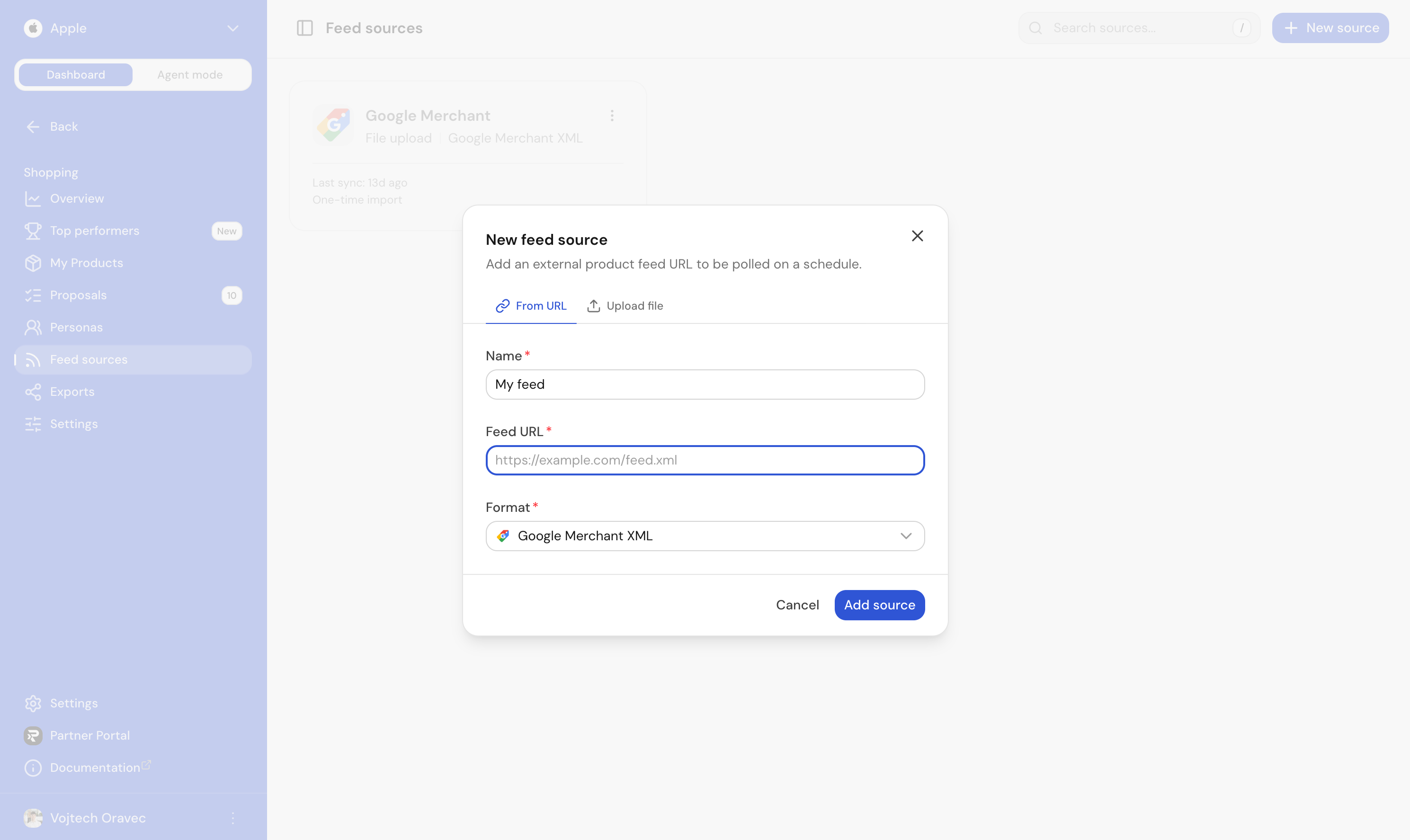
A feed source is the inbound side of Shopping. You point Ranketta at a feed URL, we pull it on a schedule, and your products land in My Products ready to be scored, enriched and re-exported.
You don't have to upload anything. You don't have to integrate against an API. If your shop, marketplace plugin or PIM already produces a Google Merchant or Amazon feed, you're done in a couple of minutes.
Supported formats
| Format | Typical source |
|---|---|
| Google Merchant XML | Shopify, WooCommerce, Magento, custom shops |
| Amazon Marketplace XML | Amazon product data / AmazonEnvelope XML |
Shoptet stores connect through the Ranketta add-on, not a feed URL.
Most shops can produce at least one of these out of the box. Pick the closest match and Ranketta handles the rest.
How sync works
Each source has a sync interval (5 minutes minimum, defaults to once an hour). On every cycle we:
- Re-fetch the feed.
- Skip the run if nothing changed (no wasted work, no churn in your scores).
- Otherwise create new products, update changed ones, and refresh the three product scores.
A small progress bar at the top of the source card shows when an import is currently running. The card also surfaces the last sync status and the time since the last successful pull.
Disable, don't delete
Sources can be temporarily disabled with one click, useful when a supplier feed goes flaky or you want to freeze the catalogue while you investigate. Re-enabling resumes the schedule on the next tick.
Deleting a source removes it permanently. Products that were only carried by that source disappear from your catalogue.
Multiple sources
You can connect as many sources as you need. This is the normal setup for resellers and marketplaces who pull from several suppliers, and for brands that ship one feed per market or per channel. Products that look like the same SKU across sources are grouped automatically inside My Products so you see one row with multiple merchants instead of duplicates.
A channel can only publish from a feed source in the same format (Google Merchant to Google Merchant, Amazon XML to Amazon). Exception: an Amazon channel can also publish from a Google Merchant source.
FAQ
What happens if my feed URL is temporarily unreachable during a scheduled sync?
Nothing changes in your catalogue. The sync simply tries again on the next scheduled cycle once the feed is reachable.
Can I point Ranketta at a feed that requires a login or API key?
Feed sources are plain feed URLs (Google Merchant or Amazon Marketplace XML), pulled on a schedule. If your feed needs a login or API key to access, it's outside what's described here.
Do I need to keep the original feed provider (e.g. my Shoptet plugin) active if I also use Ranketta Shopping?
Yes. Ranketta pulls from your existing feed URL on a schedule rather than storing a one-time copy, so the underlying feed needs to stay live for your catalogue to keep syncing.
My Products
Your catalogue, scored on essentials, identifiers, and product detail. See issues, fix them, then ship a cleaner feed everywhere.
Proposals
AI-generated improvements to your products, queued for a fast yes/no review. Approve, reject, or let the high-confidence ones flow through automatically.