

Channels
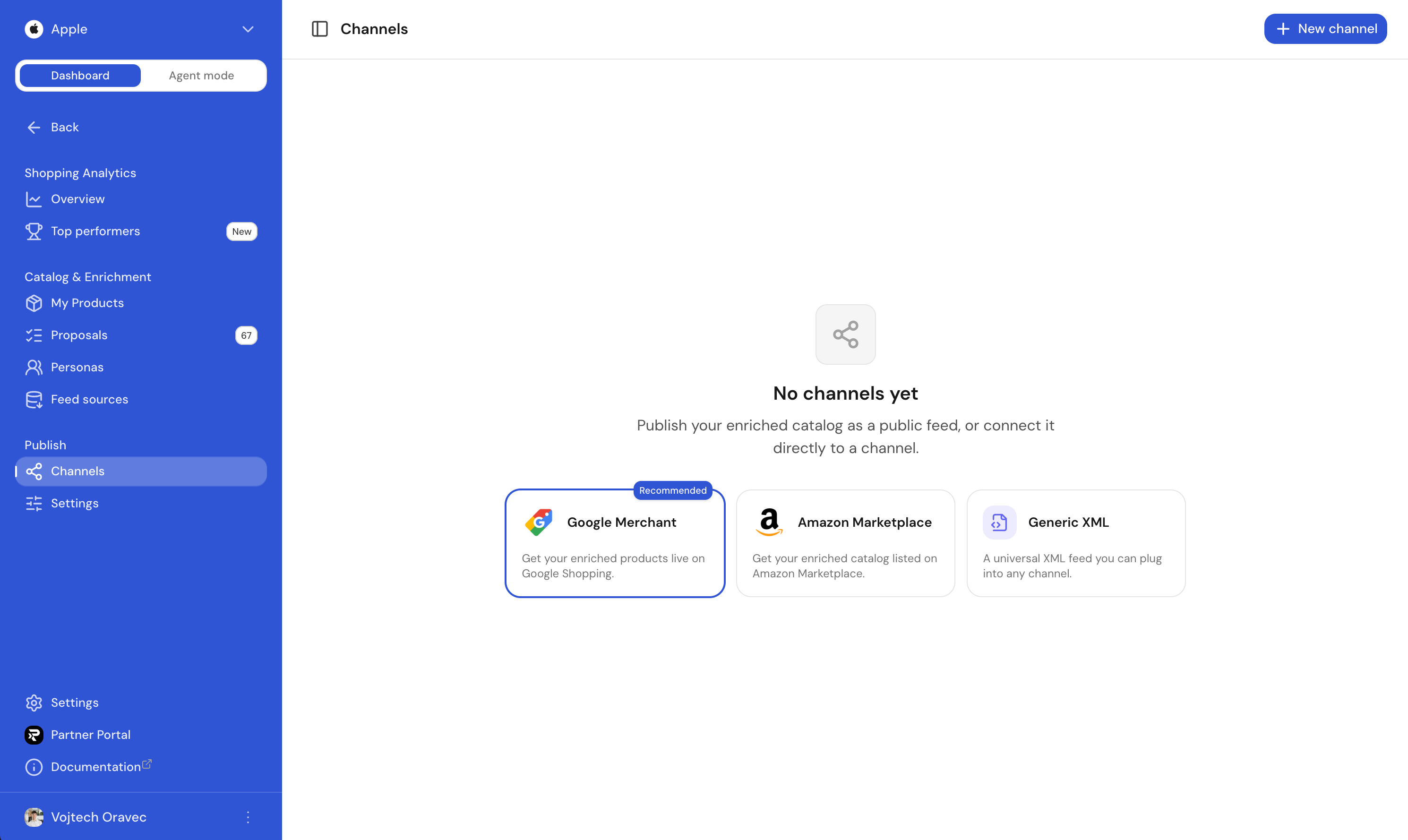
Channels is the outbound side of Shopping. Once your products are scored, AI-improved and approved, a channel turns them back into the format and delivery method each marketplace expects.
Two ways to publish
Every channel supports a feed URL: Ranketta hosts a stable, hard-to-guess URL that regenerates whenever approved content changes, and you paste it once into the marketplace's own admin (Google Merchant Center, Seller Central, and so on). No uploading XMLs by hand.
For Google Merchant Center and Amazon, you can also connect your account directly. Authorize once, and Ranketta pushes your enriched catalogue straight to the channel and keeps it in sync automatically, no feed URL to babysit, no re-uploading. The first time you turn on one of these formats, Ranketta asks which mode you want, and you can switch later.
We recommend the direct connection to Google Merchant Center first. Most AI shopping assistants, including ChatGPT, Gemini and Perplexity, source their product data from Google Merchant Center feeds behind the scenes, even when the buyer never visits Google Shopping. That makes it the single highest-leverage channel to keep fully synced, so it's worth connecting before anything else.
Available formats
| Format | Use it for |
|---|---|
| Google Merchant XML | Google Shopping, Performance Max, and the feed most AI shopping assistants read from |
| Amazon Marketplace XML | Amazon Marketplace |
| ChatGPT Ads | OpenAI Ads Manager product-feed campaigns. Ranketta hosts a JSON feed URL; you paste it into Ads Manager. Campaigns stay in Ads Manager. |
| ChatGPT Shopping | Direct push of your enriched catalogue to OpenAI’s merchant product feed for ChatGPT discovery. Ranketta does not apply at chatgpt.com/merchants for you. After OpenAI approves you, paste the feed_id and SFTP credentials they issue during channel create; Ranketta then uploads a full snapshot (catalog.jsonl.gz) on a schedule. The channel is not created until those credentials validate. |
ChatGPT Shopping is not ChatGPT Ads. Ads is a public JSON URL for Ads Manager. ChatGPT Shopping is an SFTP snapshot OpenAI reads from their servers after you push it. Instant Checkout is out of scope.
Each format follows the spec the destination expects, populated with the enriched values from your catalogue, so all the title rewrites, GTIN fills, category mappings and other improvements you approved in Proposals flow through automatically.
Direct connections
Google Merchant Center and Amazon support a direct, OAuth-based connection instead of (or alongside) a feed URL. Once connected, the channel's card shows:
- Status: Connected, Setting up, Paused, Error, or Syncing while a push is in progress.
- Synced product count and the time of the last sync.
- Product-level issues, if the destination rejected or flagged specific items, so you know exactly what to fix instead of guessing from a bounced feed.
Use Sync now to push the latest approved catalogue on demand instead of waiting for the next scheduled push. Disconnect stops Ranketta from pushing further updates, products already live on the channel stay live, they just stop receiving updates until you reconnect.
ChatGPT Shopping uses the same status card (last sync, SKU counts, errors) but delivery is SFTP, not OAuth. Pausing the channel stops uploads. Unpublishing a product sets is_eligible_search=false on the next snapshot so ChatGPT can hide it faster than OpenAI’s ~14-day omission window.
OpenAI product feed spec: get started, file upload, products. Apply at chatgpt.com/merchants.
One feed source per channel
Each channel is bound to exactly one feed source when you create it, and that source must use the same format as the channel (a Google Merchant channel can only publish from a Google Merchant source). Exceptions: an Amazon channel, a ChatGPT Ads channel, or a ChatGPT Shopping channel can also publish from a Google Merchant source. ChatGPT Ads and ChatGPT Shopping have no inbound feed of their own — ingest through GMC (or another existing source), enrich in Ranketta, then publish.
To ship the same catalogue to more than one marketplace, add one feed source per format, then one channel per source. Amazon, ChatGPT Ads, and ChatGPT Shopping can share the Google Merchant source.
Filters
Each channel has its own filters so you only ship what fits the destination:
- Availability: Any, In stock only, Out of stock only.
- GTIN: Any or Only with GTIN (Google Merchant rejects most categories without one).
You can also narrow a channel by brand, category, price, tags and other facets on its Filters tab. The feed source itself is chosen at create time, not in Filters.
Public URL (feed URL mode)
Every channel running in feed URL mode has a stable public URL that includes a hard-to-guess token. Paste it into Google Merchant Center, Seller Central, or any partner system that polls feeds, and you're done. The URL never changes, even when you update the channel's filters.
Regeneration
Feeds refresh automatically whenever the catalogue changes (new products, approved proposals, merchant updates). The card shows the last generation time and the product count of the most recent build, so you can verify the feed downstream is reading what you'd expect. Direct connections behave the same way, just pushed instead of pulled.
Pause without breaking integrations
Disable a channel to stop regenerating or pushing it without changing the URL or disconnecting the account. Marketplaces will keep reading the last successful build. Re-enable it to resume updates. Use this when you're investigating a downstream issue and don't want a half-baked feed propagating.
FAQ
Why does Ranketta recommend Google Merchant Center specifically?
Because most AI shopping assistants (ChatGPT, Gemini, Perplexity) pull product data from Google Merchant Center feeds, not just Google Shopping. A well-synced Google Merchant Center feed improves how your products show up across all of them, not only in Google's own surfaces.
Should I use the feed URL or the direct connection for Google Merchant Center and Amazon?
Either works, and you can switch later. The direct connection is generally the lower-maintenance option since Ranketta pushes updates automatically and surfaces per-product issues. The feed URL is a good fit if you'd rather control the pull schedule yourself, or if you're not ready to authorize account access yet.
Is the feed URL safe to share with a marketplace, or could someone else guess it?
The URL includes a hard-to-guess token, so it's designed to be pasted into a marketplace's feed config without being easily guessable. It's still worth treating like a credential rather than posting it somewhere public.
What happens to my marketplace listing if I disable or disconnect a channel?
The marketplace keeps reading the last successful build (feed URL mode) or simply stops receiving new pushes (direct connection). Nothing is un-published, updates simply stop flowing until you re-enable or reconnect.
Can the same underlying catalogue power more than one marketplace at once?
Each channel publishes one feed source. Add a Google Merchant source to power a Google Merchant channel. Amazon, ChatGPT Ads, and ChatGPT Shopping are the exceptions: they have no inbound feed format, so those channels can publish from whichever feed source you already have.